 October 29, 2026 | 4 min Read
Huge Update for MagicPods on Linux and Decky Loader
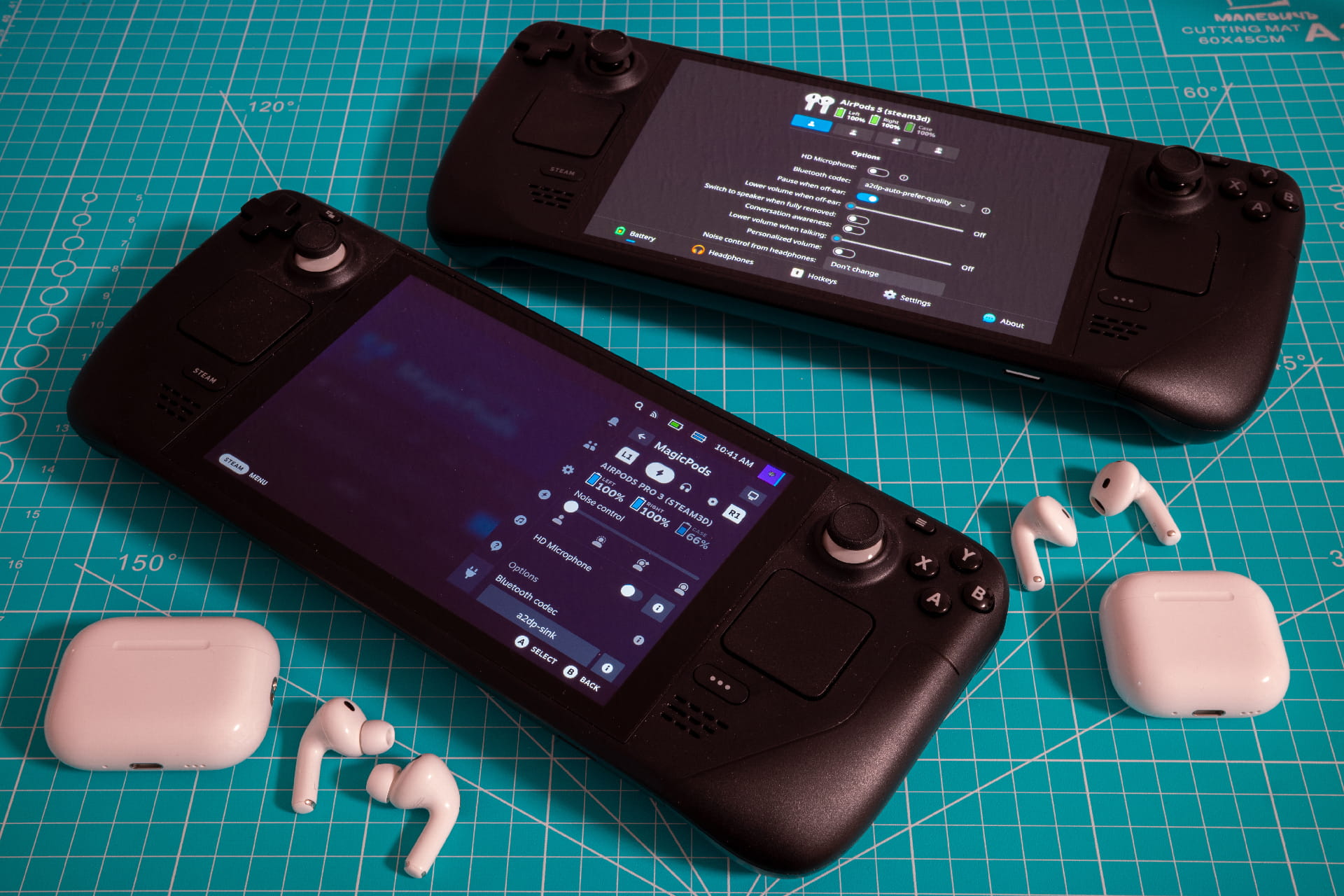
Let’s start with support for new headphones: Beats 360, Pixel Buds Pro, Pro 2, and 2a. Also, just a reminder, I added AirPods 5 in the last update.
I read your feedback and finally added most of the features you asked for. Instead of making two separate posts, I decided to put all the changes for the plugin and desktop app in one post.
Let’s go
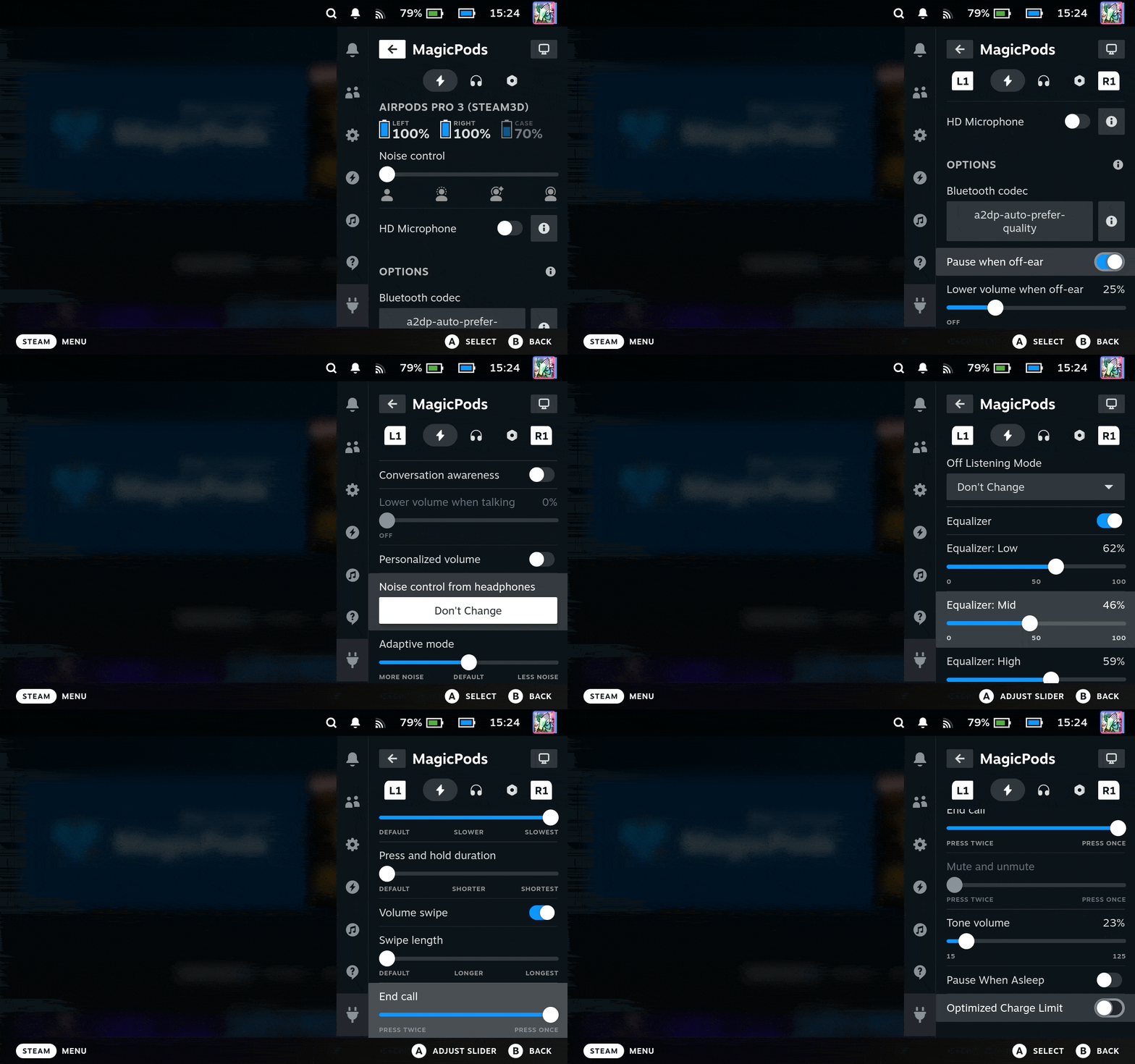
I added a lot of settings for AirPods, so now you can configure your headphones without an iOS device. I want to highlight the most important features in my opinion:
HD Microphone
Provides much better audio and microphone quality than the regular HandsFree mode. For this, a separate input device appears in the system.
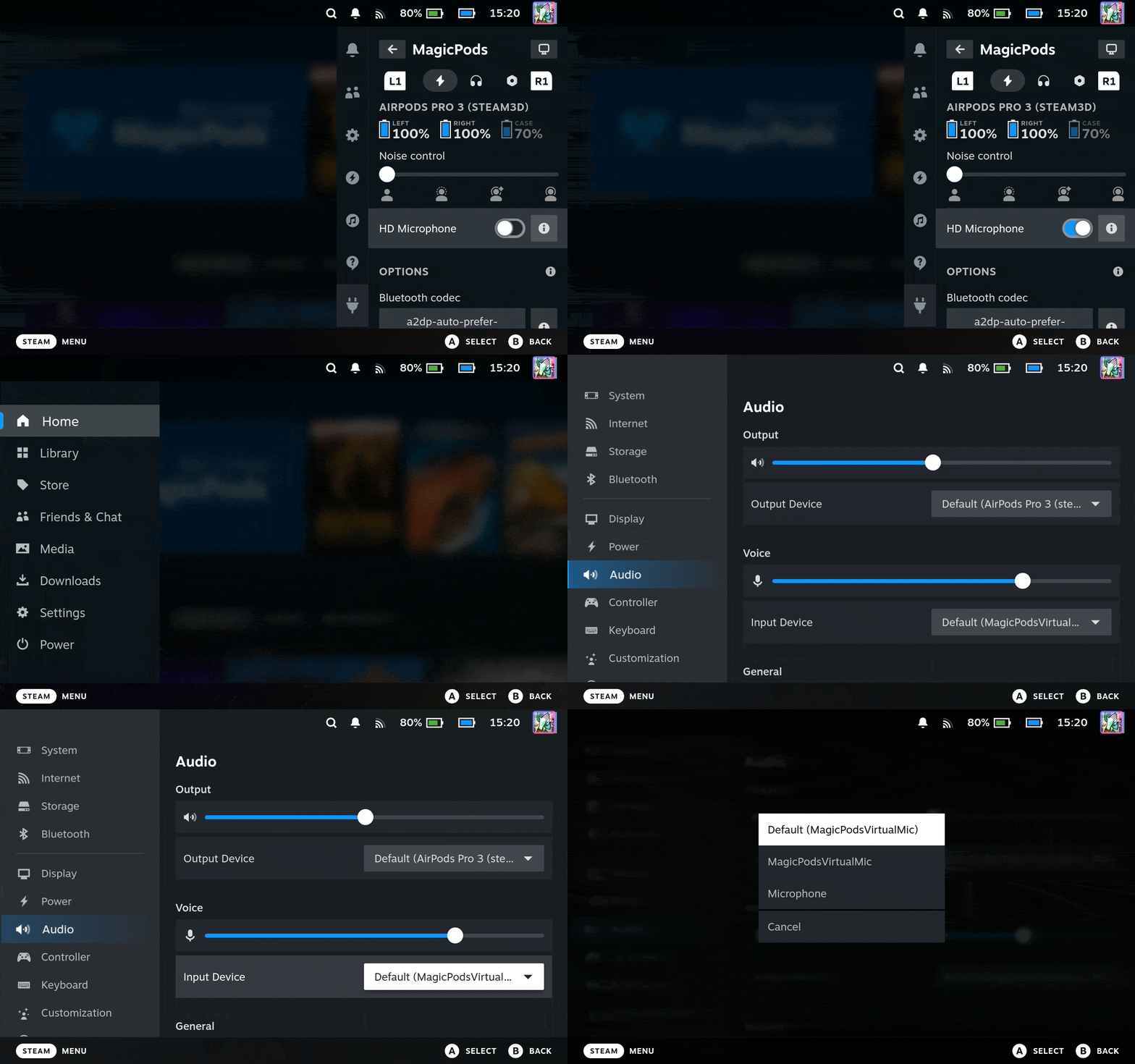
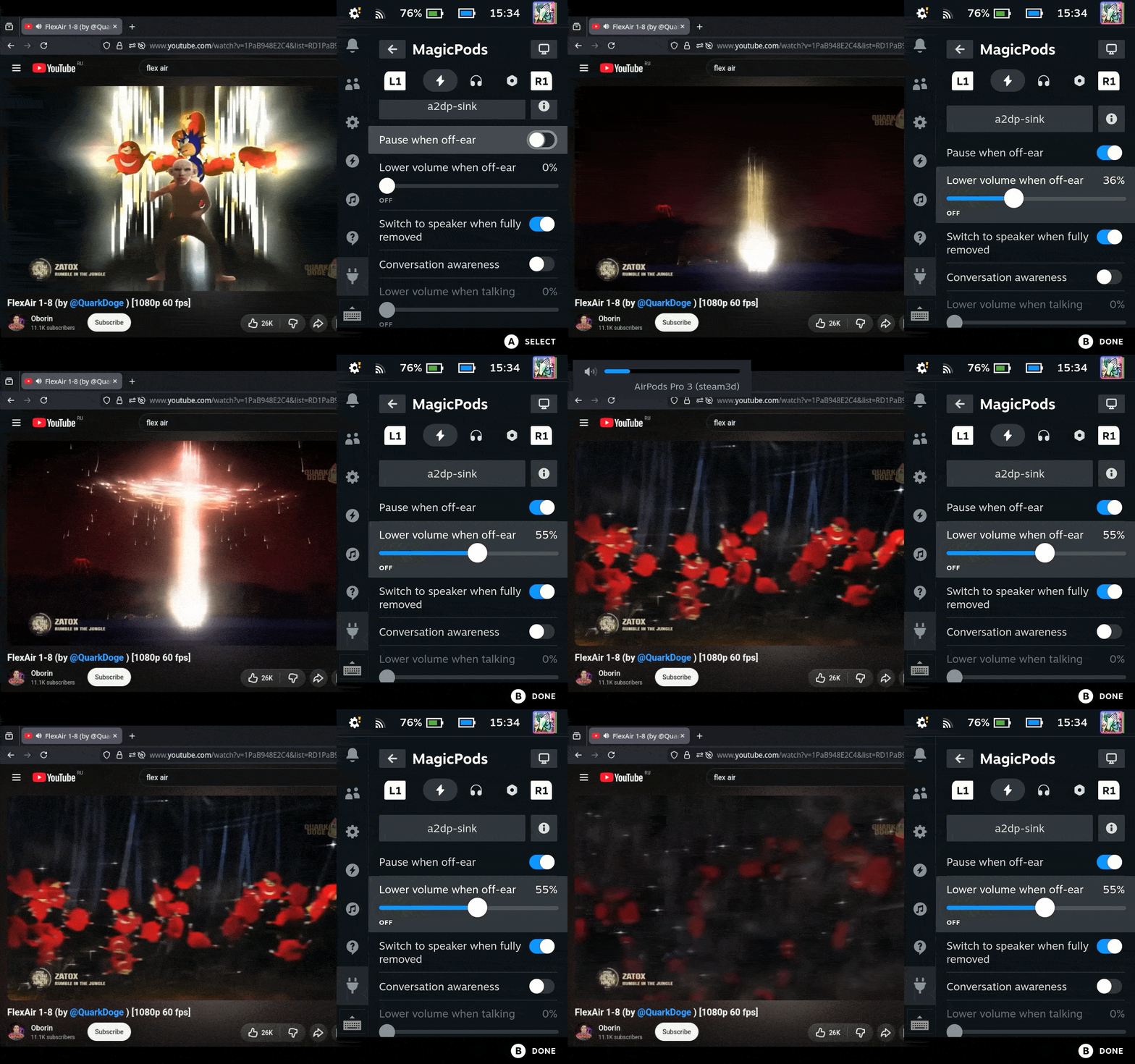
Ear detection
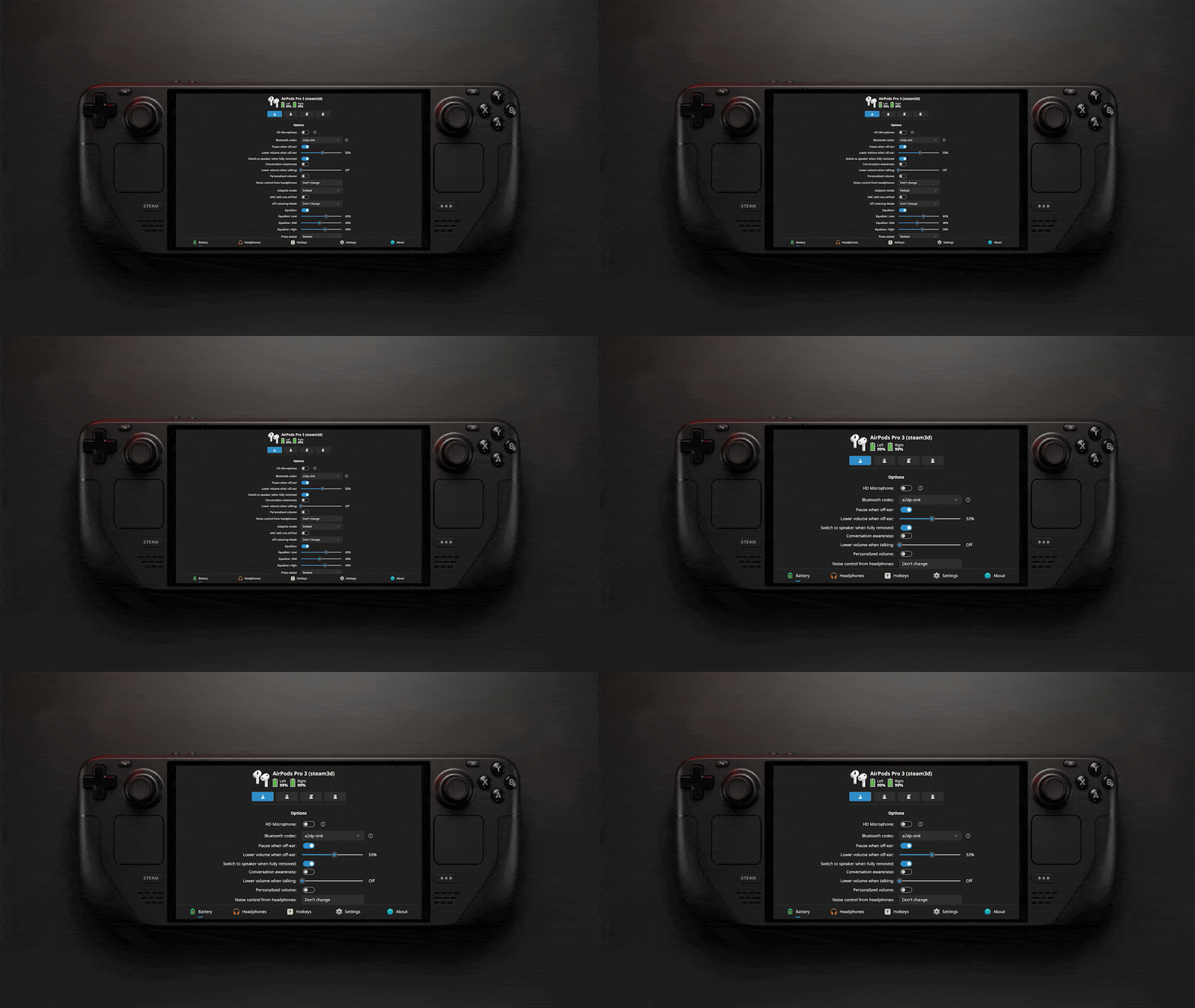
Pauses media if the app supports media controls (for example, Firefox), lowers the volume when you remove one earbud, or switches the audio output to the Steam Deck speakers when you remove your headphones.
P.S. While I was busy publishing this update, SteamOS received an update that changed the names of the Bluetooth codecs. To get audio controls working, select the a2dp-sink codec. I’ll fix this in the next update.
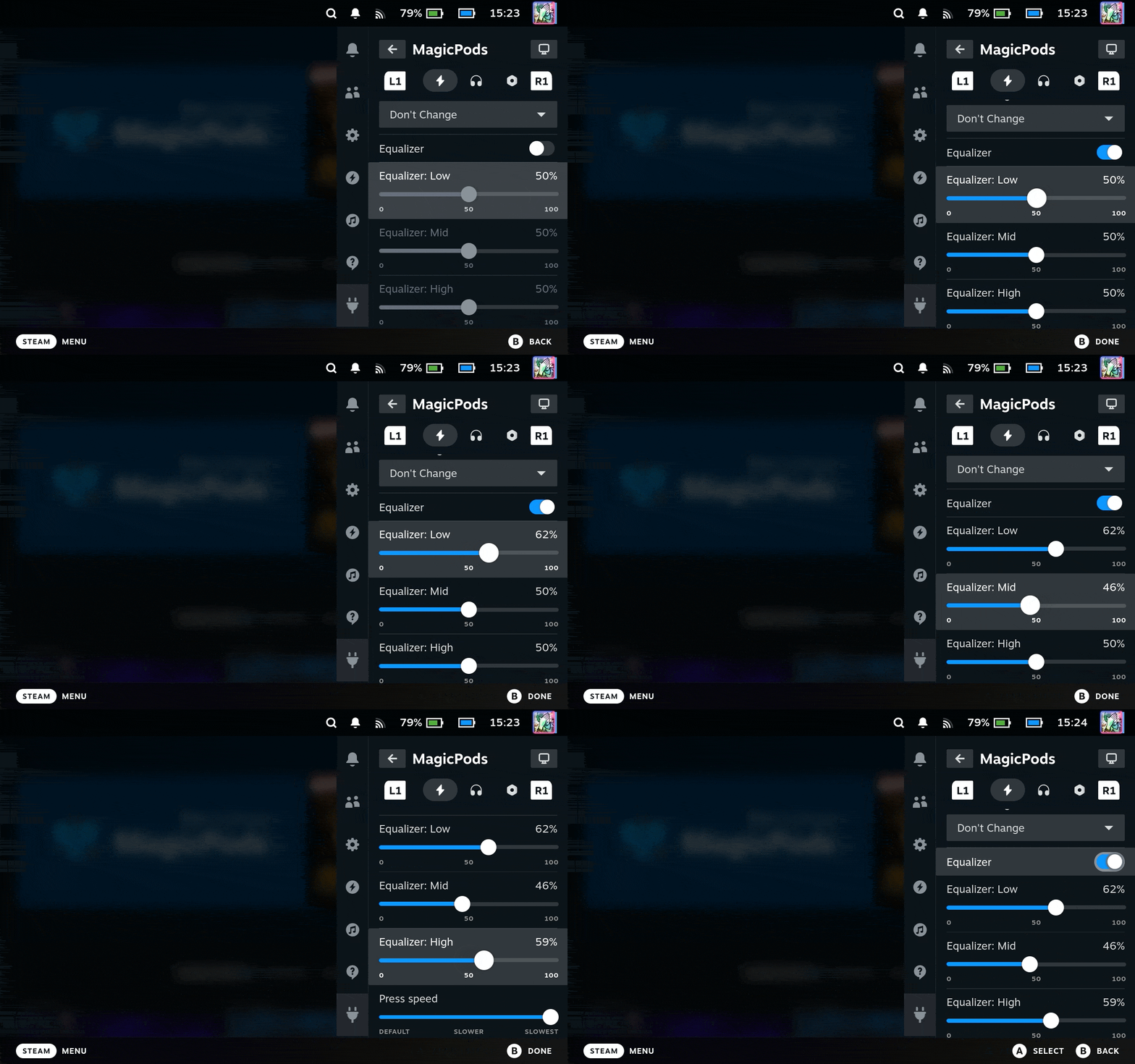
Equalizer for AirPods with the H2 chip
You can adjust three frequency bands: highs, mids, and lows. Just like in iOS 27.
Press and hold action
You can choose which noise control modes to switch between when you press and hold. For AirPods Max, you can also change the Digital Crown direction, and for some Beats models, you can choose how to control the volume.
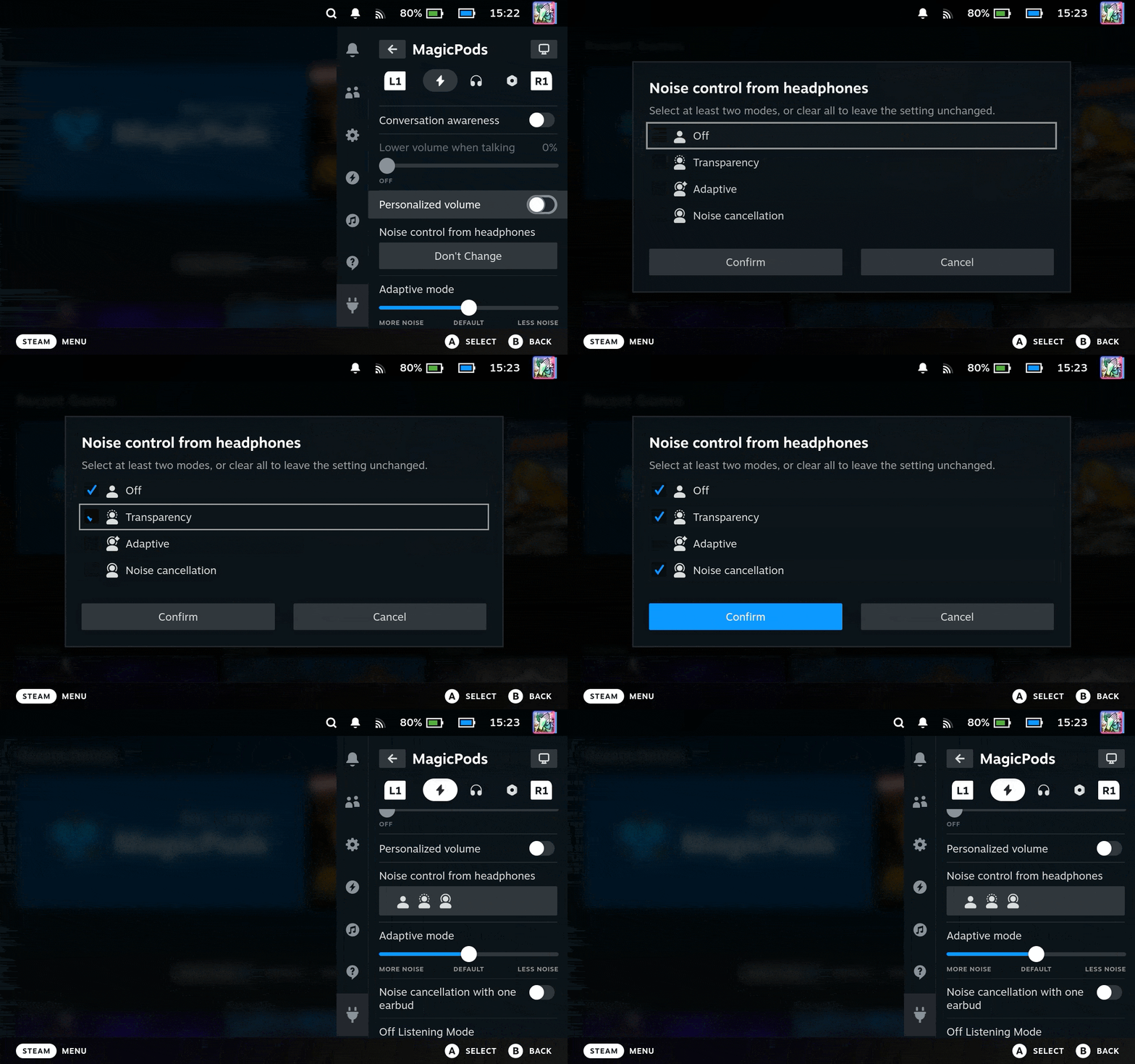
And other settings
You can find more details in my GitHub repositories (links at the end of the post).
Plugin Interface
I moved audio control directly to MagicPodsCore (the background service). Thanks to this, I optimized the plugin and removed a lot of unnecessary code.
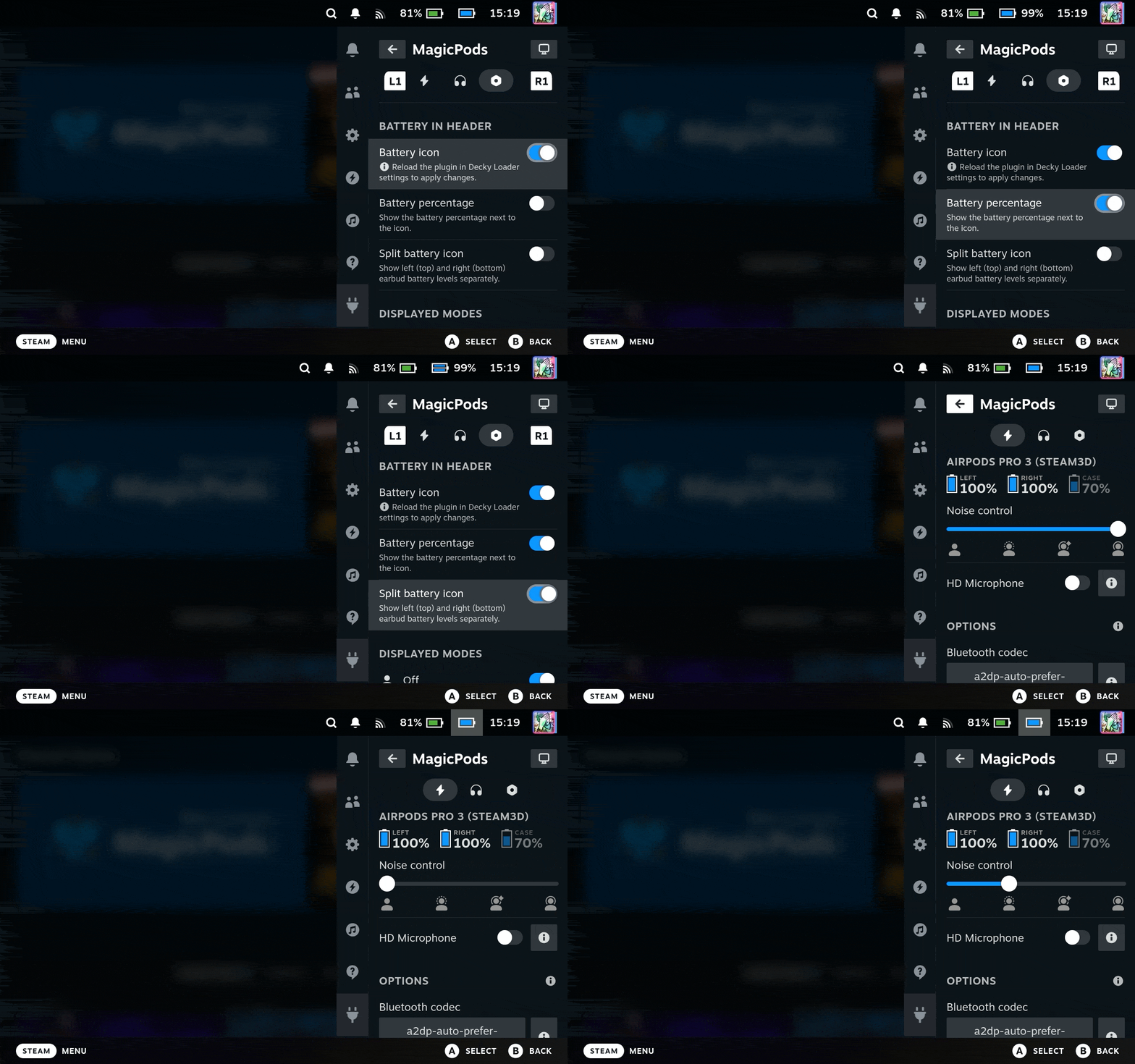
Battery icon next to the clock
The main new feature is a battery icon next to the clock. It has several display styles, and clicking on it switches the noise control mode, if your headphones support it, of course. I changed the icon color to light blue and moved the text to the right so we don’t confuse the headphone battery icon with the Steam Deck battery level.
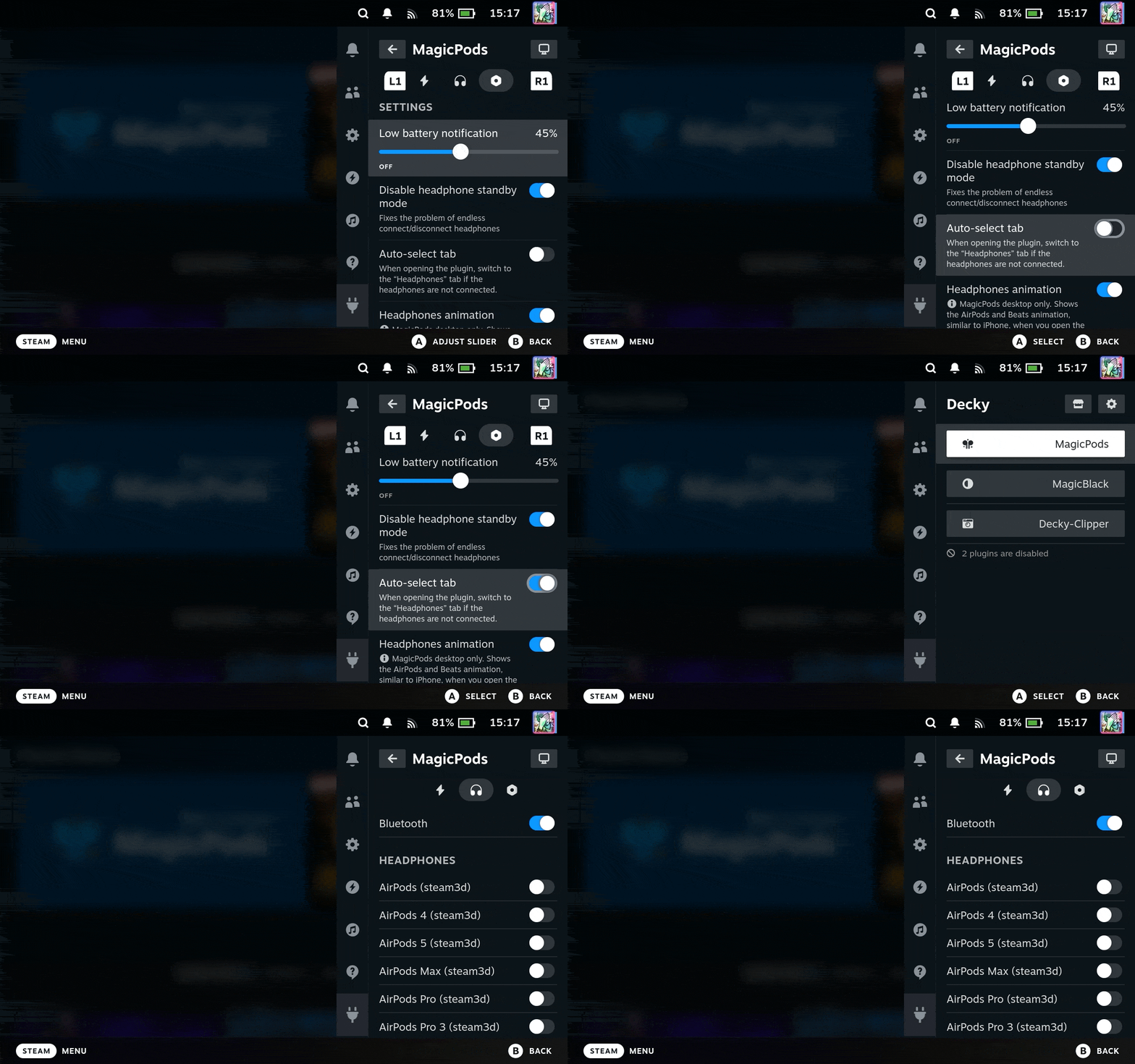
Automatic tab switching
This new option saves you a few clicks when connecting headphones. If no headphones are connected, the plugin automatically opens the headphone list tab, so you don’t need to switch to it manually.
Desktop app interface
Hotkeys
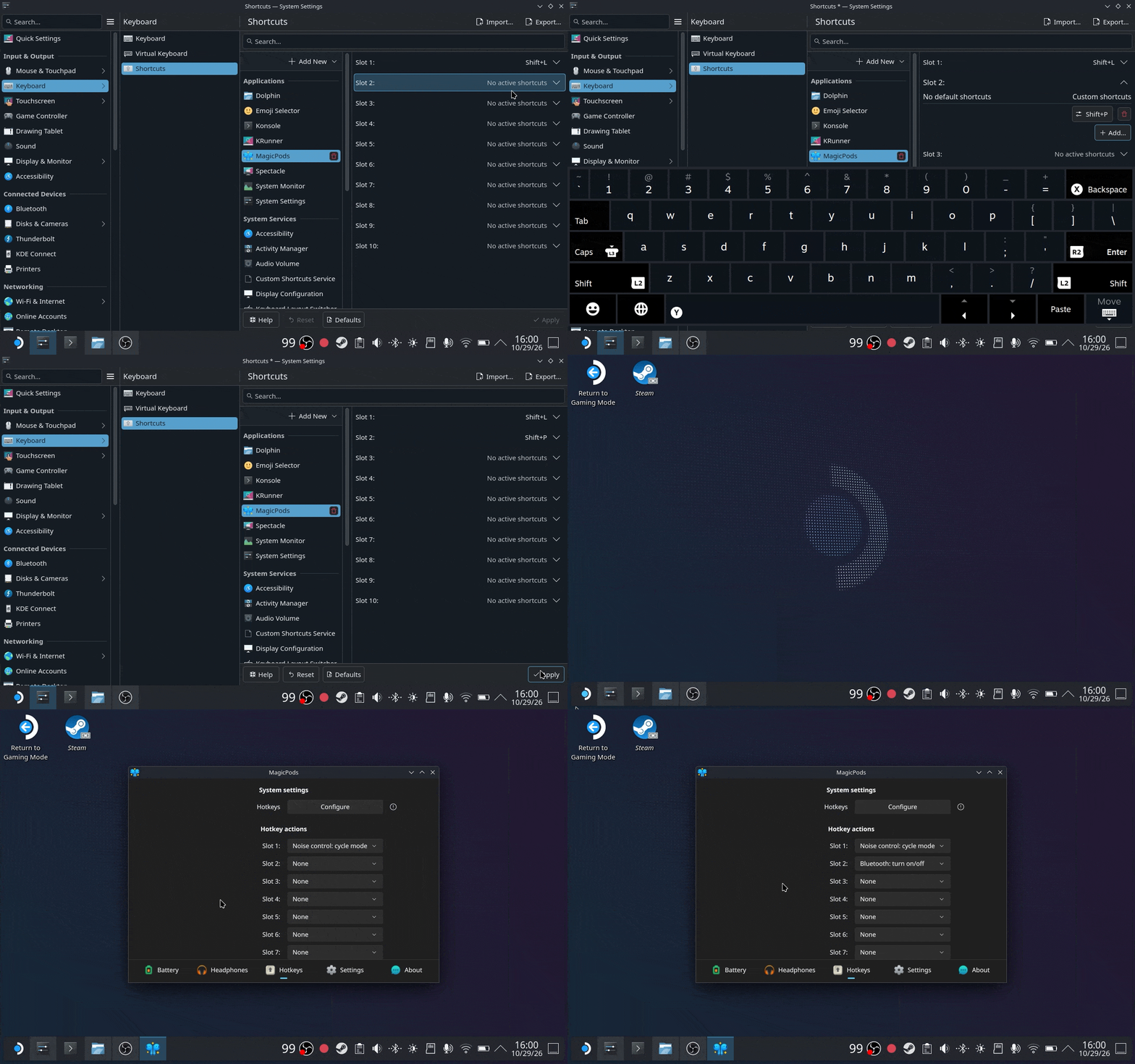
I’ll say right away, setting up hotkeys on Linux is not easy. So I had to add 10 slots. You can assign a hotkey to each slot in the system settings and then select an action for each slot in the app. You also need to create an application shortcut, and unfortunately, this doesn’t work in Gaming Mode.
Scaling for Gaming Mode
You can change the scale separately for Gaming Mode. This is especially useful on the small Steam Deck screen.
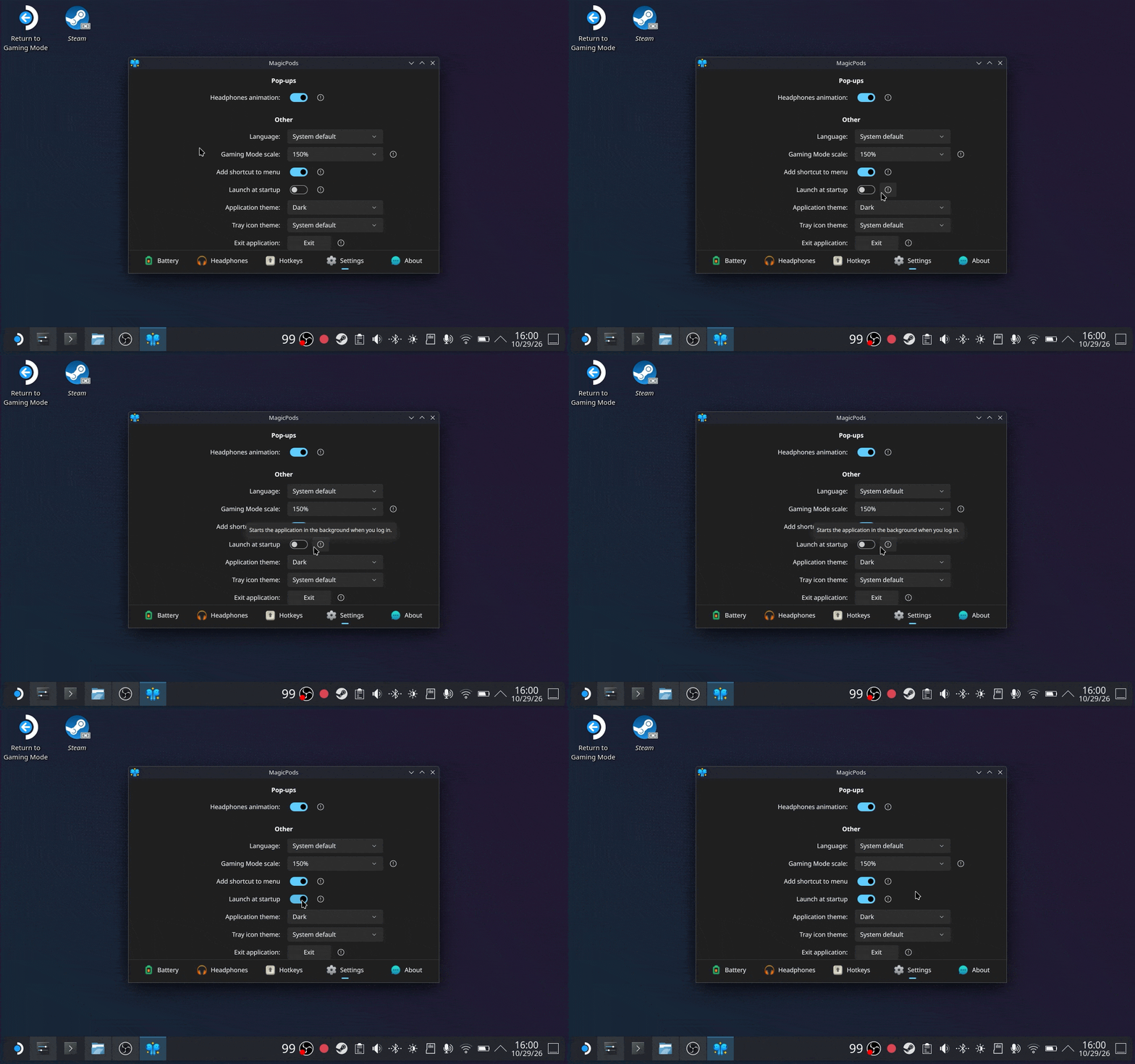
Launch at system startup
For regular users, there is a toggle in the settings. For advanced users, I added the --background argument to start the app without opening the main window.
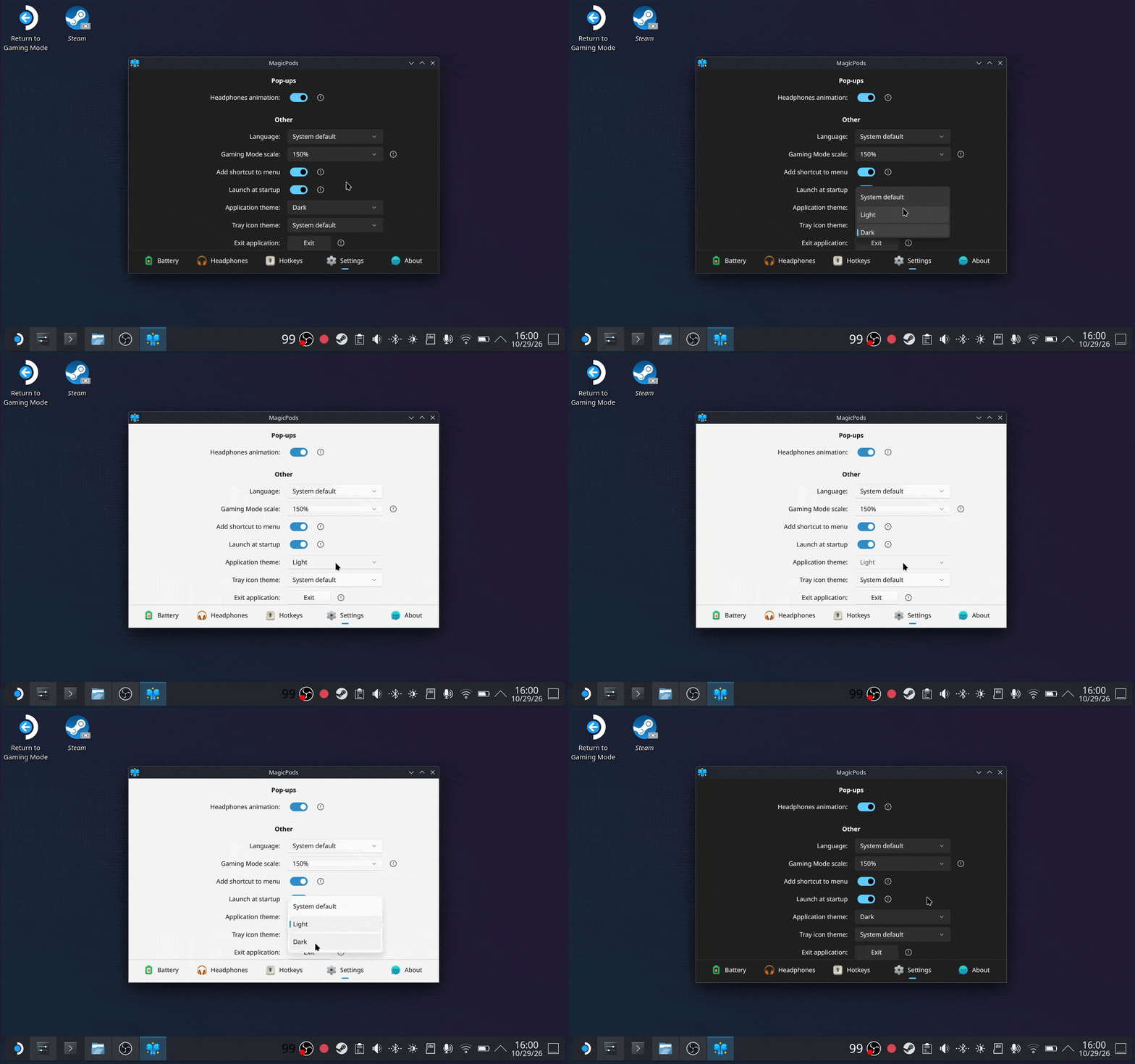
Theme switching
For Desktop Mode, you can choose a dark or light theme. Gaming Mode always uses the dark theme. I’m not sure this feature works exactly as you expected, because the top bar with the app name and window buttons is drawn by the system, not by me. So it still uses the system colors.
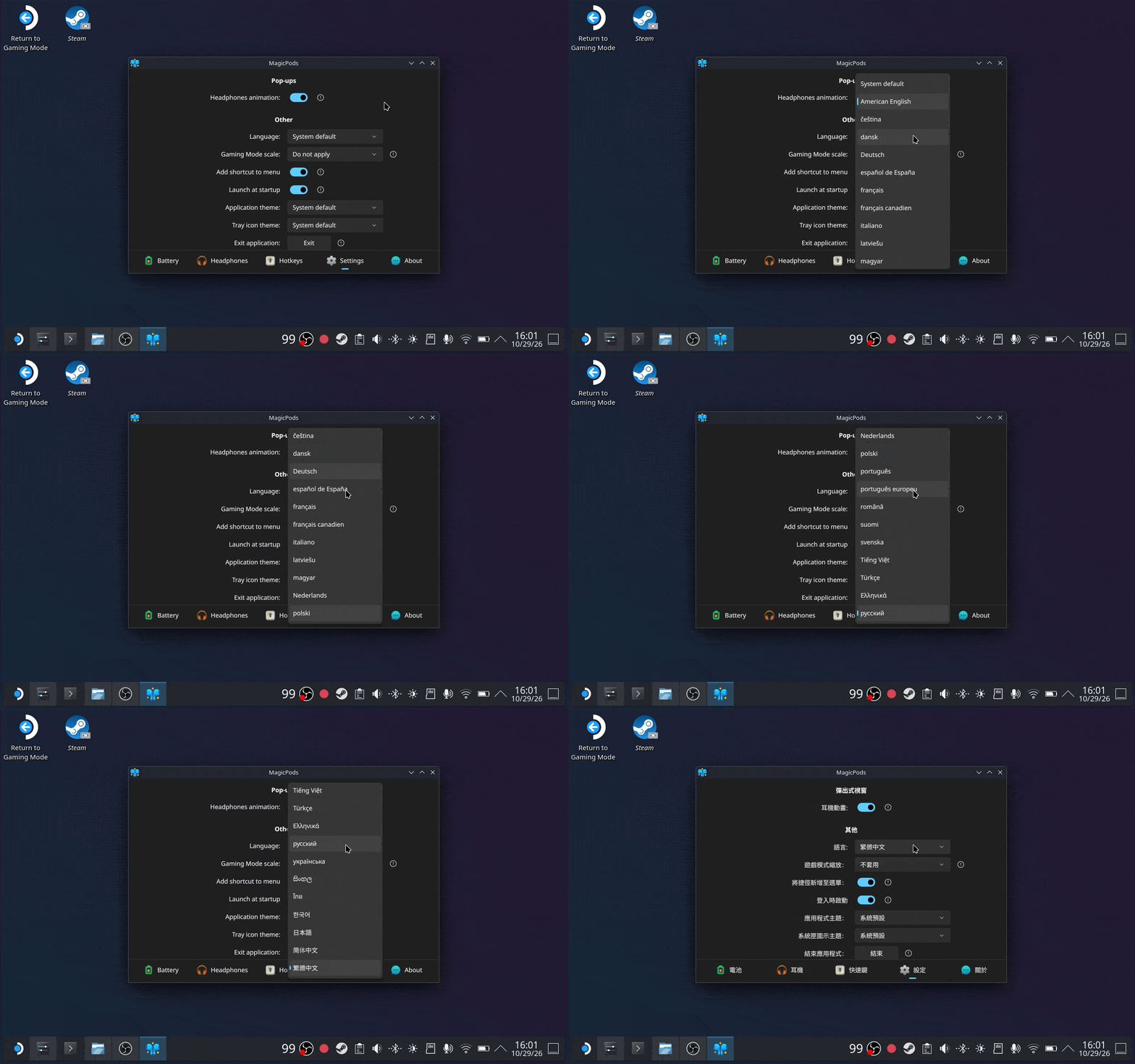
Language support
I added around 28 languages. Before this, there was only English. By default, the app uses the system language (not the Steam interface language). I still don’t know if it’s possible to use the Steam interface language without the Steam API. But for now, you can simply select your language, and the app will always use it when you open it.
In conclusion
Special thanks to T3CHNOLOG1C for implementing the Pixel Buds protocol. A lot of things didn’t make it into this post because I didn’t want to make it too long. As always, I hope you like the update. The update is already available: MagicPods plugin version 2.0.24 in the Decky Loader store and MagicPods desktop app version 1.0.5 on Steam.
Below are the links to my repositories: